Create SIP Device
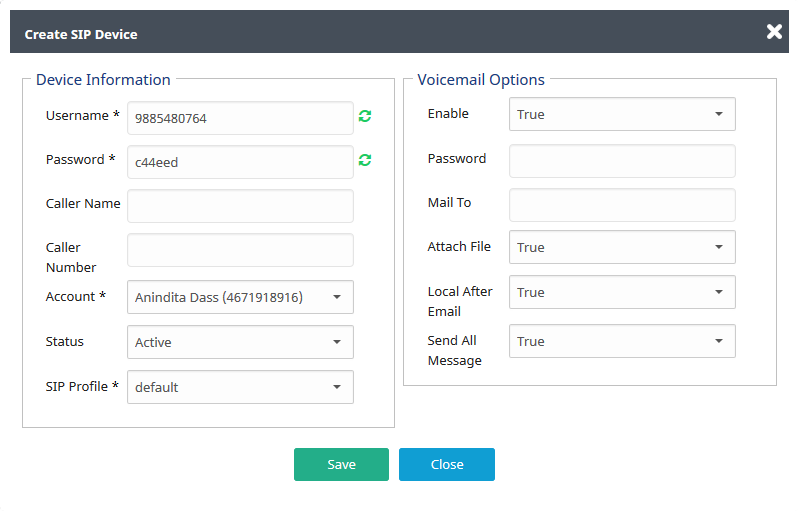
Device Information
| Username | Here specify the name of user |
| Password | It is use to set password of user |
| Caller Name | Write caller name here |
| Caller Number | Write called number here |
| Account | Select account of user |
| Status | Device status should be active/inactive |
| Sip Profile | Select sip profile |
Voicemail Options
| Enable | From here set status of voice mail |
| Password | Set your voice mail password here |
| Mail To | Define your email address |
| Attach File | If it set yes then you will get file in attachment otherwise not |
| Local After Email | Write called number here |
| Send All Message | If it set true then user will get all message |
